May 12, 2026

Workflow Management for Master Data: How to Make Approvals Fast, Verifiable, and Audit-Proof

Selina Trummer

By Selina Trummer

Product Marketing Manager

18 min read

Share this post

Master data workflow management determines whether a new supplier is added to the ERP system in two days or two weeks—and whether updated bank account information is verified or simply accepted. This article shows you how to design creation, change, and approval processes so that responsibilities are clearly defined, verification is automated, and every change is traceable. It includes a role model, risk classes, a set of KPIs, and a real-world case study.
Key Takeaways

  • Master data workflow management controls who requests, reviews, and approves changes to master data, as well as when those changes are transferred to target systems such as SAP.

  • Errors occur most frequently during creation: In an HBR study, 47% of newly created data records contained at least one critical error.

  • According to Gartner (2026), governance fails more often due to culture than to budget constraints. The recommendation: Embed governance directly into daily workflows.

  • Not every change requires the same level of approval. Risk classes defined per attribute distinguish routine changes from critical changes, such as bank details.

  • The dual-control principle for sensitive attributes serves as a direct safeguard against payment fraud.

  • The GoBD requires that master data changes be traceable and, where applicable, logged with validity information.

  • Success can be measured, for example, by turnaround time, first-time-right rate, return rate, and SLA compliance.

What is Master Data Workflow Management?

Master data workflow management is the rule-based control of all master data creation, modification, lock, and archiving processes through defined roles, validation steps, and approval levels—with comprehensive logging of every decision. It determines who is authorized to request which data, which rules are automatically checked, who provides business-side approval, and when a data record is distributed to the operational systems.

Master data is a company’s long-term core data: customers, suppliers, materials, products, companies, and organizational units. You can find a detailed classification in our Master Data Guide. Unlike transaction data, master data is used by many processes simultaneously. An error during creation therefore carries over into every purchase order, every invoice, and every report.

A master data workflow typically consists of five elements:

  • Trigger: an event such as “new supplier,” “change in bank account information,” or “material being phased out.”

  • Request: a structured form with required fields instead of a free-form email.

  • Automatic validation: validation rules, duplicate checks, and comparison with reference data.

  • Business approval: one or more levels, depending on the risk associated with the change.

  • Distribution and logging: transfer to the Golden Record, distribution to target systems, and an immutable audit trail.

Technically, such processes are often modeled using BPMN 2.0. This notation is an open standard developed by the Object Management Group and standardized as ISO/IEC 19510. The advantage is that both business units and IT teams are reading the same process model.

It is important to draw a distinction. Workflow management for master data is not the same as general workflow automation. A generic ticket system does not know the data record it is approving. A workflow integrated into master data management, on the other hand, sees the data model, the history, and all relationships of the object. It can therefore check whether a new supplier is a duplicate before anyone invests time in the approval process.

Why Workflow Management Is Relevant for Master Data

Master data processes seem unremarkable—until they fail. Five key metrics show why approval processes are not merely an administrative task, but a matter of quality, cost, and control.

KPI

Statement

Source

47 %

of the newly created data records, at least one contained a critical error; only 3% of the data quality scores were “acceptable”

Nagle, Redman, Sammon – HBR, 2017

$12.9 million

average annual cost of poor data quality per organization

Gartner, Research 2020

60 % vs. 40 %

cultural resistance outweighs lack of budget as the main reason for failed governance initiatives (survey of 223 D&A leaders, March 2026)

Gartner, 21.09.2026

$2.77 billion

reported losses from business email compromise in 2024, based on 21,442 complaints

FBI IC3 Annual Report 2024

more than 50 %

of the fraud cases investigated were attributed to missing or circumvented internal controls (1,921 cases)

ACFE, Occupational Fraud 2024

Quality begins at the point of entry.

The 47% figure from the HBR study refers to newly created data records. That is the moment when a workflow kicks in. Validation rules that only take effect in the monthly quality report come too late.

Fraud exploits process gaps.

Business Email Compromise often targets a simple change to master data: A purported supplier reports new bank account information. Without the dual-control principle and reconfirmation, the next payment is diverted. The ACFE data confirms this pattern: Missing or bypassed controls are the most common lever.

Governance fails in day-to-day operations, not in concept.

Gartner explicitly recommends embedding data governance into business workflows and integrating it into day-to-day operations. This is exactly what a master data workflow does: it turns a policy into a process step that cannot be skipped.

Compliance requires traceability.

The GoBD requires that changes be made in such a way that “both the original content and the fact that changes were made remain recognizable.” For master data, it explicitly mentions version history with validity information. For personal master data, the GDPR also applies: Data must be factually accurate, and data controllers must be able to demonstrate compliance.

The Four Root Causes of Slow and Error-Prone Master Data Processes

When master data approvals take too long or incorrect data slips through, it’s rarely the fault of any one individual. Most often, the same four structural causes are at play.

Responsibility with No Ownership

In many companies, a supplier master record “belongs” to no one. Purchasing creates it, accounting adds payment terms, and quality management maintains certificates. Everyone is responsible for their own fields, but no one is responsible for the record as a whole. Without a designated data owner and data steward, every conflict ends up in an email loop.

Checking at the Wrong Stage

Many organizations check data quality downstream: via reports, spot checks, or data cleansing projects. This is costly because by that point, the error has already made its way into purchase orders and invoices. The check belongs at the point of entry—that is, in the request itself. Our guide to data quality describes how to systematically measure and resolve downstream quality issues.

Approval via Media Discontinuity

A request arrives via email, approval comes by phone, and the data is entered into the ERP system via copy-and-paste. Every media break costs time and creates errors. Above all, it leaves no verifiable record. Anyone who needs to prove during an audit who approved a bank account and when will then have to search through their inbox.

One workflow for everything

The opposite is just as harmful: Every change goes through the same three approval stages—whether it’s a phone number or an IBAN being changed. The result is overburdened approvers, backlogs, and people finding ways around the system. If you apply the same strict standards to everything, you end up not checking anything thoroughly.

It’s not a tool problem—it’s a responsibility problem

The obvious reaction to slow approvals is to look for a better tool. But a workflow tool only automates what has already been decided. If it’s unclear who approves a change, the tool simply automates that ambiguity.

A master data workflow is responsibility codified.
Each stage answers a question: Who is authorized to submit a request? Who performs the technical review? Who bears the risk? Who is authorized to override the decision in exceptional cases? Only once these questions are answered is technical modeling worthwhile.

The latest Gartner survey supports this view. Cultural resistance carries more weight than a lack of budget. Gartner also recommends establishing governance as a shared responsibility between business and technology—not as a purely IT task.

For Heads of Data and Governance Leads, this means: The first workshop should not focus on a tool demo, but on the role model. Our article on the role of data administration in organizational data management describes which roles in data management have proven effective.

Approach: Setting Up Master Data Workflows in Seven Steps

The following procedure has proven effective for master data workflow management. It starts with the events, not the software.

Step 1: Take Inventory of Events and Data Objects

For each data domain, list all events that trigger a workflow: creation, modification, extension to a new company or plant, lock, and archiving. Note how often each event occurs per month. This shows where automation has the greatest impact.

Step 2: Classify Attributes into Risk Categories

It is not the data record that determines approval, but the attribute that has been changed. A phone number is non-critical; bank account information is highly critical. The following table shows a typical pattern. The turnaround times are industry benchmarks for guidance, not standards.

Risk Class

Example Attributes

Approval

Estimated Processing Time

Low

Contact Person, Phone Number, Descriptive Text

Automatic verification, no manual approval

Immediate

Medium

Payment Terms, Purchasing Organization, Product Group

Data Steward

1 business day

High

Bank Account Information, Tax ID, VAT ID, Credit Limit

Dual-Control Principle: Steward plus Data Owner, confirmation from the partner

2 business days

Critical

Organizational structure, account determination, valuation classes

Data owner plus business approval (e.g., Controlling, Legal)

By agreement

Step 3: Define the Role Model

A streamlined role model is sufficient for most master data workflows:

  • The requester submits the change request and provides the supporting documents.

  • The data steward performs a business-related review, cleans up the data, and clarifies any questions.

  • The data owner is responsible for the domain and approves critical changes.

  • An approver from the business unit (e.g., Controlling, Compliance) is involved only for defined attributes.

The key is the separation of duties: The person who submits a request must not be the one to approve that same change. The system must technically enforce this, not merely recommend it.

Step 4: Move Validation to the Point of Entry

Any rule that can be checked automatically belongs in the request: required fields, format checks (e.g., IBAN check digit), duplicate checks against the golden record, and comparisons with reference lists. The data steward should only check what a machine cannot determine.

Step 5: Define Routing, SLAs, and Escalation

Set a service-level time for each approval stage. If it expires, the workflow automatically escalates to a substitute or the next level. Parallel approvals—such as purchasing and accounting simultaneously—significantly shorten turnaround time compared to sequential chains.

Step 6: Ensure an audit trail and historical data retention

Every action is logged: who, when, what, old value, new value, and reason. Master data is versioned with validity periods, ensuring that reports based on specific cut-off dates remain possible. This meets the historical data retention requirements of the GoBD and answers any audit question in minutes rather than days.

Step 7: Measure and Refine Workflow KPIs

Without key performance indicators, workflow optimization remains a matter of gut feeling. The following KPIs form a robust foundation:

KPI

Definition

What it reveals

Processing Time

Time from request to distribution to the target system

Routing Bottlenecks

First-Time-Right Rate

Percentage of requests processed without follow-up questions

Quality of request forms and required fields

Return Rate

Percentage of requests that are returned to the requester

Unclear rules or need for training

SLA Compliance

Percentage of approvals within the target timeframe

Overburdened roles, lack of substitutes

Degree of Automation

Percentage of Changes Without Manual Approval

Impact of Risk Classes

Where does your master data governance stand today?

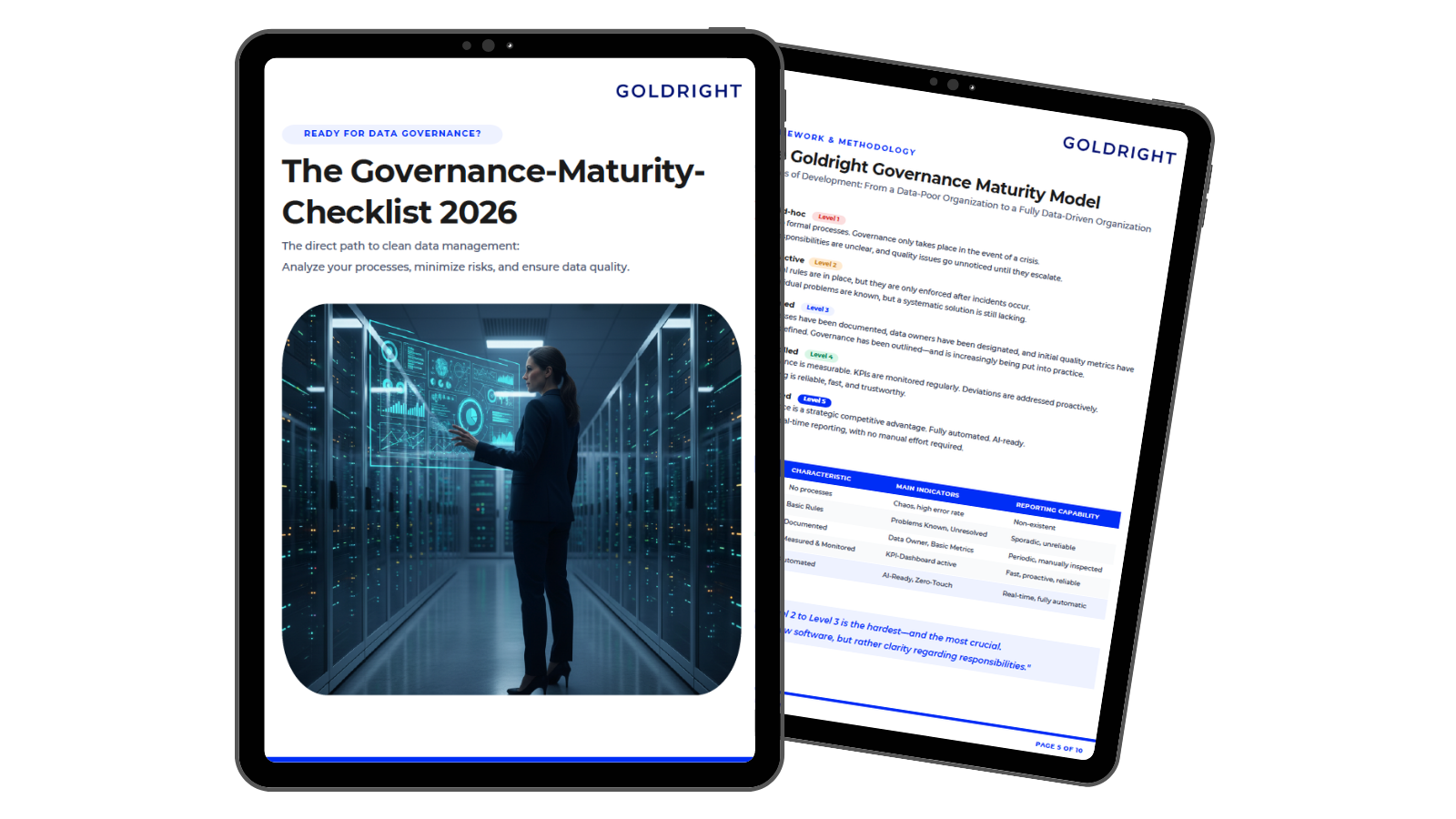
The Governance Maturity Assessment shows you in just a few minutes how mature your roles, approval processes, and controls are—and which next step will have the greatest impact. It’s the ideal foundation for your first workflow workshop.

  • 10-Question Checklist to Assess Your Governance Maturity

  • A field-tested 90-day plan you can start using right away

  • 100% free and independent

Best Practices for Master Data Workflows

Start with a high-frequency process.
In most companies, supplier or material creation occurs on a daily basis. The benefits become apparent quickly, and the organization learns the new procedure through a familiar scenario.

Make the request form so thorough that follow-up questions become unnecessary.
Most delays do not occur during approval but rather when clarifying incomplete requests. Context-dependent required fields and default values from the Golden Record reduce the rejection rate.

Always confirm bank details outside the channel.
If a change notification arrives via email, confirmation should be sent using a previously stored phone number—never using the contact information provided in the same message. The workflow documents this step as a mandatory task.

Define substitutes as mandatory.
A workflow that comes to a standstill when the data owner is on vacation quickly loses acceptance. Substitution rules belong in the workflow configuration, not in the out-of-office message.

Let business units design the workflows.
When process owners can customize workflows themselves, the model remains close to reality.

Version control for workflows.
The process itself also changes. Document which workflow version was in effect at what point in time. In an audit, it’s not just what was approved that counts, but according to which rule.

Four Approaches to Master Data Workflows

Today, companies typically manage master data approvals in one of four ways. The table compares them based on the criteria that matter most to governance leads.

Criterion

Email and Excel

Standard ERP Workflow

Generic BPM or Ticket Solution

MDM-Integrated Workflow

Knowledge of the data model

none

only for one’s own system

none, only form data

complete, cross-domain

Validation during application

manual

system-specific checks

limited, time-consuming to maintain

Rules, duplicate and reference checks against the Golden Record

Risk-based approval per attribute

Not possible

Partially, often requiring customization

Possible, but without data context

Configurable per attribute

Audit trail

Scattered across mailboxes

For the system itself

Process log, separate from the data

Process and data history combined

Historical Data with Validity Dates

Not available

Limited

Not available

As of a specific date

Distribution to Multiple Target Systems

Manually

Only the local system

Via additional integration

Centrally via interfaces

Suitable for

Very small volumes

Single-system environments

General licenses

Heterogeneous environments with multiple domains

The table shows a clear pattern: The more heterogeneous the system landscape, the more important it becomes to have the workflow and data model in one place. This is precisely the approach taken by the Goldright Agile Data Manager.

How the Goldright Agile Data Manager Implements Master Data Workflows

The Agile Data Manager is the multi-domain MDM platform of the Goldright Enterprise Suite. It consolidates master data from isolated sources into a validated golden record—and uses this exact dataset to control the maintenance and approval processes. This means that workflows and data are not stored in two systems, but in one.

Business Process Engine in BPMN.
The Agile Data Manager’s Business Process Engine controls and automates data maintenance and approval workflows based on BPMN. The workflow designed by the business unit and IT during a workshop can thus be executed directly—without needing to be translated into a separate ticket system.

Multi-level approvals and the dual-control principle.
Approval levels can be tiered according to risk. Routine changes undergo a streamlined review, while sensitive attributes such as bank account information or tax ID numbers are subject to the dual-control principle. In this way, the risk class model from Step 2 becomes a technically enforced rule.

Integrated governance.
Ownership and responsibilities are managed centrally within the platform. The Enterprise Suite’s authorization model extends down to the level of individual data objects and attributes. Who is authorized to request, review, or approve is no longer a matter of agreement but of configuration.

Approvals with Full Data Context.
Because the workflow runs on the Golden Record, data stewards and data owners see not just a form, but the actual data record with its relationships and provenance. Data cleansing and reconciliation are automated, and data lineage remains fully traceable.

Timestamp History and Audit Security.
Every change is documented and logged. The timestamp history enables reports based on specific dates—the technical solution to the GoBD requirement to log master data with validity information.

Distribution via Configurable APIs.
Approved data flows into ERP, CRM, and BI systems via bidirectional interfaces. The Enterprise Suite is also available in the SAP Store. There is no need to manually enter approved data into the target system.

AI under the same rules.
Through the AI Assistant and native MCP integration, AI applications access the Golden Record—subject to authorization checks and documented in the audit trail. AI thus becomes part of the controlled process rather than a workaround that bypasses it..

The following overview maps the requirements from the solution approach to the functions of the Agile Data Manager:

Requirement from the Solution Approach

Function in Agile Data Manager

Impact on the Workflow

Inventory Events and Data Objects

Multi-Domain Data Model

Multi-Domain Data Model

Classify attributes into risk classes

Multi-level approvals, dual-control principle

Strict verification only where the risk lies

Define Role Models

Integrated governance, permissions down to the attribute level

Separation of duties is enforced technically

Move validation to the point of entry

Golden Record, automated cleansing and reconciliation

Approvers make decisions with the full data context

Define Routing

Business Process Engine (BPMN)

The process model is directly executable

Ensure an audit trail and data history

Timestamp history, data lineage

Every change can be traced back to the exact effective date

Distribution to Target Systems

Configurable, Bidirectional APIs

No Manual Transfer to the ERP

Case Study: Material Master Data Creation at a Mechanical Engineering Company

An anonymized sample project from MDM practice.

Initial Situation

A medium-sized machinery manufacturer with multiple plants creates new material master records every week. The design department initiates the process using an Excel template. Purchasing, production planning, controlling, and sales each add their respective views one after the other. Each department waits for the previous one to finish. Incomplete templates are returned via email, and duplicates are not noticed until the order is placed.

Diagnosis

All four root causes are evident. No one is responsible for the material master data as a whole. Verification takes place downstream. Each handoff represents a change in medium. And every material goes through the same chain, whether it’s a standard part or a safety-critical assembly. Inconsistent material master data is a typical bottleneck for demand planning and production in the manufacturing industry.

Implementation with the Agile Data Manager

The project team first defines the role model: one data owner for the “Material” domain and one data steward per plant. Roles and permissions are stored in the Agile Data Manager’s integrated governance system. The Excel template is replaced by a workflow modeled as a BPMN process in the Business Process Engine. All business units update their views directly in the Golden Record within the same workflow, rather than passing files back and forth. Approval is tiered based on risk: standard parts go through a single approval level, while safety-critical assemblies follow the dual-control principle with additional approval by Quality Assurance. Approved materials are transferred to the ERP system via configurable APIs.

Result

Every approval is documented in a traceable, time-stamped history. Queries are resolved within the workflow rather than via email. Duplicates are visible in the Golden Record before a material is ordered. And the material master serves as the single source of truth for all plants. More important than any individual figure: The company now measures lead time and the first-time-right rate and can make targeted improvements.

Übertragbarkeit

The same approach works for supplier setup, customer master data, or maintaining organizational structures. Our article on product master data illustrates just how important clean material data is for day-to-day operations.

Pitfalls: What Goes Wrong with Master Data Workflows

Digitizing the current process exactly as it is.
If you simply transfer the existing email chain into a workflow tool, you end up with a faster version of a bad process. Question every step: What risk does it address?

Too many approval levels.
Each additional level extends the turnaround time and dilutes responsibility. Three approvals often mean that everyone relies on the other two.

Unmonitored emergency bypasses.
Urgent cases always arise. But if the bypass isn’t logged and reviewed afterward, it becomes a backdoor. ACFE statistics show how often bypassed controls are the cause of losses.

Workflow without data context.
An approver who sees only a form cannot assess whether the “new” supplier already exists under a different name. Display the history and related data records during the approval step.

Lack of visibility into target systems.
A perfectly approved data record is of little use if it has to be manually transferred to the ERP system. Distribution is part of the workflow.

AI without governance.
Gartner expects GenAI to accelerate the time-to-value of governance and MDM programs by 40% by 2027. AI suggestions for classification or duplicate detection are valuable—but they should be included in the workflow as a verification step, not as an unchecked direct change. For high-risk AI, the EU AI Act requires documented data preparation steps such as cleansing, updating, and enrichment anyway.

Speeding up approvals without giving up control?

With the Governance Maturity Assessment, you can determine whether roles, risk classes, and audit trails are already effective in your company—or where workflows are currently stalling due to gaps in accountability.

  • 10-Question Checklist to Assess Your Governance Maturity

  • A field-tested 90-day plan you can start using right away

  • 100% free and independent

Conclusion: Master Data Workflow Management Is Governance in Action

Master data workflow management is not merely an administrative issue. It is where governance policies first intersect with day-to-day operations. This is where it is determined whether quality rules take effect before an error occurs, whether critical changes—such as bank details—are effectively controlled, and whether every decision can be substantiated during an audit.

The data is clear. Nearly half of newly created data records contain critical errors. Fraud exploits missing or bypassed controls. And governance fails more often due to culture than to budget—which is why Gartner recommends embedding it directly into workflows.

The path to achieving this begins not with a tool, but with accountability. By clarifying roles, classifying attributes by risk, moving verification to the point of entry, and measuring the right KPIs, organizations can make approvals both faster and more secure. A workflow that operates directly on the Golden Record bridges the gap between process and data: every approval sees the full context, every change is logged, and every distribution is centralized.

Companies that set up their master data workflows in this way achieve more than just efficiency. They create a robust foundation for compliance, automation, and AI applications that rely on reliable data.

Your next step: Use the Governance Maturity Check to assess the current scope of your roles, approvals, and controls. Or talk to us about how the Agile Data Manager maps your master data workflows.

Frequently Asked Questions

A master data workflow is a defined, system-supported process for creating, modifying, locking, or archiving master data. It specifies who initiates the process, which rules are automatically checked, who approves the data, and when the data record is distributed to target systems. Every step is logged.
Master data maintenance refers to the ongoing process of entering, updating, and cleaning up data. Workflow management is the framework that governs this process: It defines the roles, sequence, approvals, and documentation for these activities.
Start with a high-frequency process, such as supplier or material creation. First, define roles and risk classes, then set up the request with automated checks. Measure turnaround time and the first-time-right rate from the very beginning.
At least three: a requester who submits the request, a data steward who performs a business-side review, and a data owner who is responsible for the data domain and approves critical changes. For certain attributes, additional business approvers—such as those from Controlling or Compliance—are also involved.
The Agile Data Manager controls maintenance and approval workflows via a BPMN-based business process engine—directly on the Golden Record. Approvals can be configured in multiple stages and according to the dual-control principle; roles and permissions are managed through the integrated governance system; and the timestamp history documents every change with precise effective dates. Approved data is transferred to ERP, CRM, and BI systems.
The GoBD requires that the original content and the fact that a change has been made remain identifiable. When master data is changed, the unambiguous meaning must be preserved in the transaction data; if necessary, master data must be archived with validity information. Furthermore, the change history must not be alterable retroactively (Rz. 111).
In a single-system environment, the answer is often yes. However, as soon as master data is used across multiple systems—ERP, CRM, PLM, HR—the ERP workflow lacks a cross-domain perspective. A workflow integrated with MDM validates data against the golden record and distributes it centrally to all target systems.
That depends on the risk class. The following are generally accepted industry guidelines: non-critical changes should be approved immediately and automatically; moderate changes within one business day; and critical changes within two business days. It is essential that SLAs be defined and measured.
Whenever a change has direct financial or legal implications—such as with bank account information, tax ID numbers, credit limits, or corporate structures. For bank account information, additional confirmation should be obtained through an independent channel.
Common metrics include the duplicate rate, the completeness of critical data fields, timeliness (the time between a change and system synchronization), the number of manual corrections, and business-impact metrics such as reporting time or the order error rate. It is crucial to collect these metrics as a baseline in Step 1 of the framework. This is the only way to demonstrate the impact of subsequent measures—an issue described in Chapter 14 as a common weakness.
AI can suggest classifications, detect duplicates, and flag anomalies. However, it does not replace the approval process. It makes sense to include AI suggestions as a separate verification step in the workflow so that every data entry remains traceable.

Sources

ACFE – Association of Certified Fraud Examiners: Occupational Fraud 2024: A Report to the Nations - acfe.com

Bundesministerium der Finanzen: GoBD – BMF-Schreiben vom 28.11.2019, Rz. 58 und 111 - PDF

European Union: Regulation (EU) 2016/679 (DSGVO), Art. 5. - eur-lex.europa.eu

European Union: Regulation (EU) 2024/1689 (AI Act), Art. 10. - artificialintelligenceact.eu

FBI Internet Crime Complaint Center: 2024 IC3 Annual Report, 2025. - ic3.gov

Gartner: Gartner Predicts 60% of Organizations That Ignore Data Governance Culture Challenges Will Fail to Govern AI Successfully by 2027, Pressemitteilung - gartner.com

Gartner: Gartner Predicts 80% of D&A Governance Initiatives Will Fail by 2027 - gartner.com

Gartner: Data Quality: Why It Matters and How to Achieve It (Research 2020) - gartner.com

Nagle, T.; Redman, T. C.; Sammon, D.: Only 3% of Companies’ Data Meets Basic Quality Standards, Harvard Business Review - hbr.org

Object Management Group: Business Process Model and Notation (BPMN) 2.0.2, ISO/IEC 19510. - omg.org